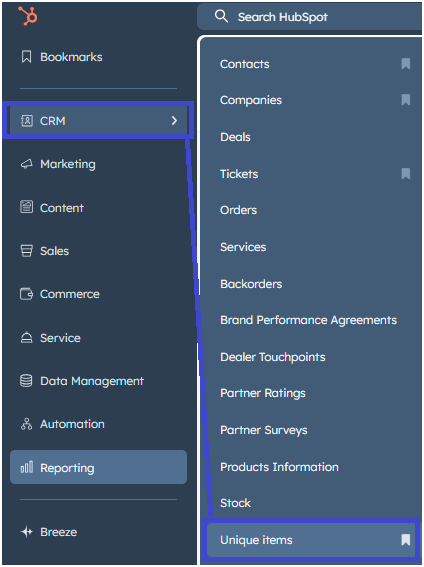
You can find the Unique items under CRM / Unique items.
You can also add this path to your bookmarks.
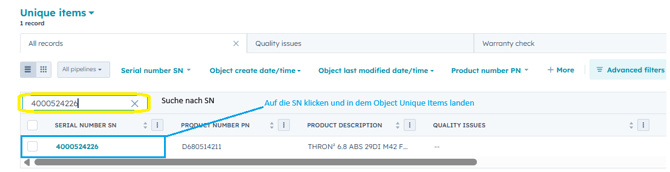
Once you have selected the object, you will be taken to an overview of all Unique Items – that is, all serial numbers already created in HubSpot. There you can search specifically for a particular SN, select it, and view its details.
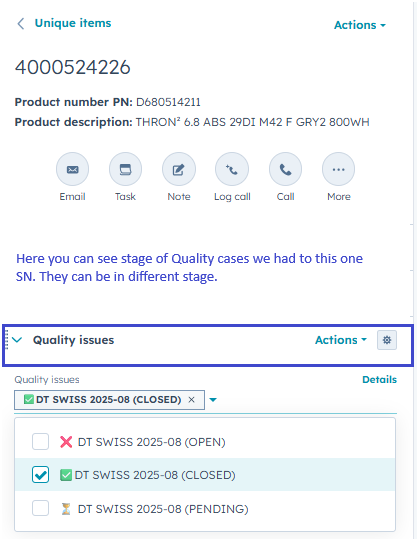
In the overview of a serial number, you will see numerous helpful details, clearly arranged in different sections.
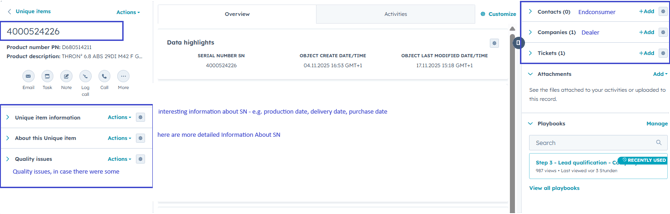
In the overview of a serial number, you will see numerous helpful details, clearly arranged in different sections.
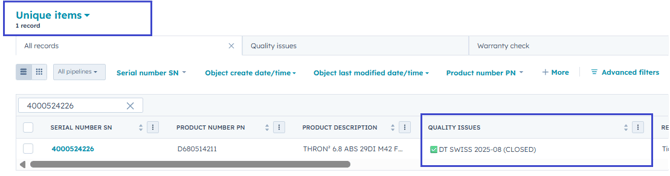
You can also see this quality issue in the general overview if you select the “Quality issues” column (Edit column).
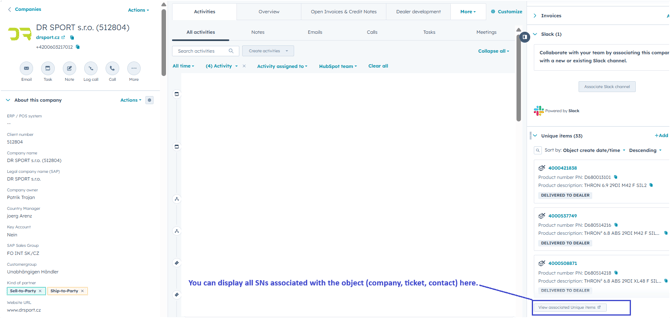
In the corresponding tab, all serial numbers associated with the respective object (e.g. company, contact, or ticket) are displayed. For example, if you are on a company overview, all Unique Items for that dealer are shown here in a filtered view.